[ Free library ]/Step 04/The anatomy of a real-looking prompt

The anatomy of a real-looking prompt

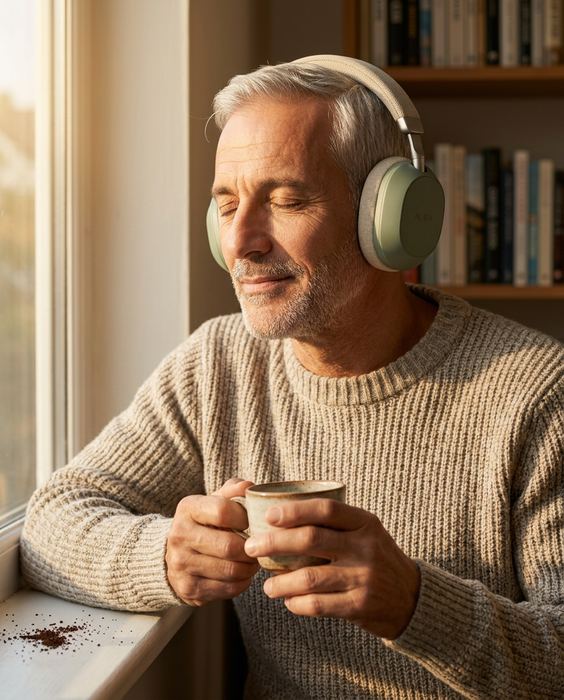
The complete prompt behind the AURA headphones image, split into the six parts we write in every prompt, with the reason each one is there.

Step 04 of 15 · Write your own promptFree guide · no sign-up · updated 16 Oct 2026
00 · Before you start
01

One clean photo

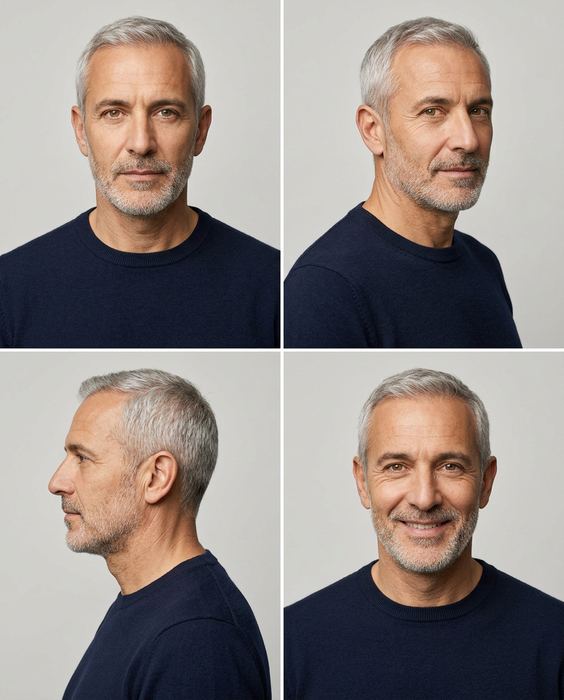
Phone is fine: daylight from a window, a plain wall or sheet behind, the label facing the camera and sharp. No flash. For a person in the shot, add a character sheet of your model: front, 3/4, profile and a smile. The ones we used are shown below.

02

An image AI that takes a photo

Gemini or ChatGPT both work. Upload your photo first, then paste the prompt.

03

Paste, generate, check

One prompt per image. Before you use one, check the label against your real product, letter by letter.

AURA concept brand, wireless headphones: Late-afternoon window
THE FULL PROMPT

Six parts, always in this order.

Hover or tap a part to find it in the prompt

Attach the packshot first, then the character sheet
Use the product from the first photo and keep it 100% identical - the same shape, label, colours and proportions. The person must be the exact same man as in the second photo.

[WHO] A man in his late fifties with light olive skin, short silver hair, a neat grey stubble beard, deep laugh lines and warm hazel eyes,
[WHAT] wearing over-ear headphones in matte sage green with a woven fabric headband, brushed aluminium sliders and oatmeal cushions, 'AURA' debossed on each cup,
[SCENE] sits by a sunny window in an oatmeal knit sweater, eyes closed and a slight smile, holding a ceramic cup of coffee in both hands.
[LIGHT] Warm late-afternoon sun from the left, one direction only.
[LENS] 85 mm portrait lens, shallow depth of field, a bookshelf softly blurred behind him.
[FLAW] One strand of silver hair out of place, a few coffee grounds on the window sill.

Photorealistic high-end commercial photography, no extra text or logos.
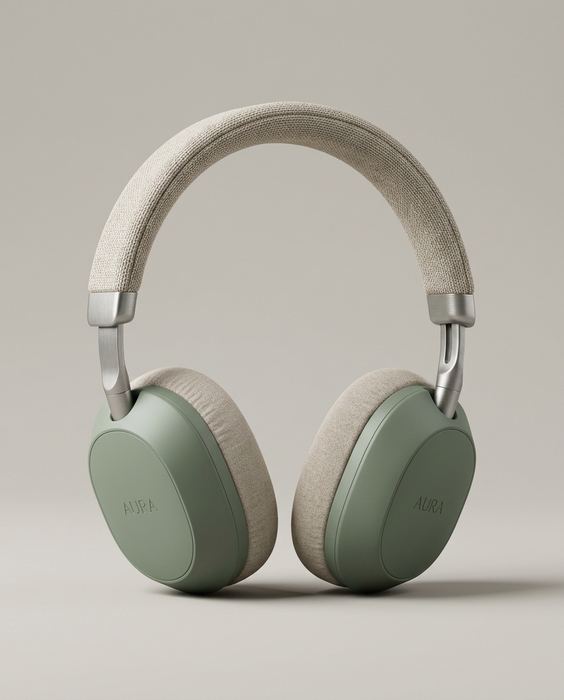
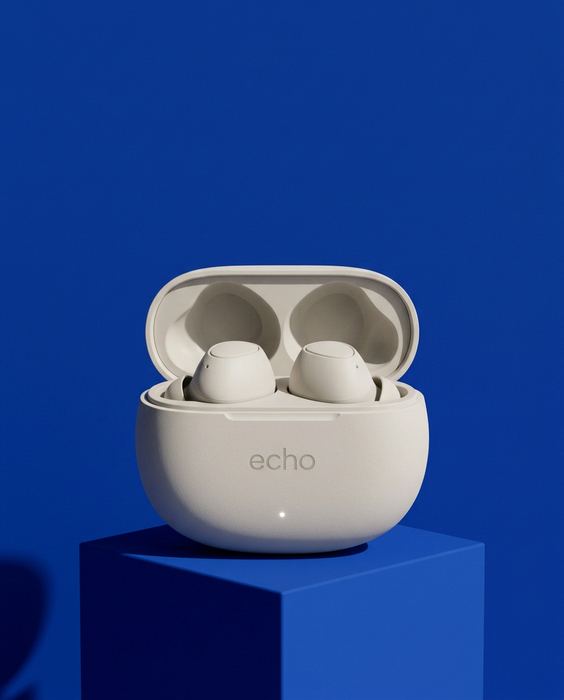
AURA concept brand, wireless headphones: The packshot — the inputInput 01 · packshot
AURA concept: the model character sheet, front, three-quarter, profile and smileInput 02 · character sheet
WHY EACH PART IS THERE

Who → what → scene → light → lens → one flaw.

  • ✦Who. Age, skin, hair and one telling detail. The character sheet keeps the face the same in every shot.
  • ✦What. Colours and materials, word for word, every time. The packshot goes in as a reference, so the logo stays where it lives.
  • ✦Scene. One action, one moment. A pose reads as an ad; a moment reads as a life.
  • ✦Light. One light source. When every shadow and highlight agrees, the eye stops checking.
  • ✦Lens. Name the lens. A real camera blurs the background; sharp focus everywhere looks generated.
  • ✦Flaw. One small imperfection, on purpose. Perfect reads as fake.

The rule: same order, every prompt. When the structure never changes, you can change one part at a time and see exactly what it does.

! Where DIY stops

This gets you most of the way.

The last part is where most sets fall apart. It’s the part we do, from $199.

  • Where it breaksWhat we do
  • The label drifts. A letter changes, the logo moves, the colour shifts.We check every image against your real product, word for word.
  • Hands and faces go wrong. An extra finger, or a face that changes from shot to shot.We count, crop and redo before you see anything.
  • The set doesn’t match. Light, colour and the model wander from image to image.One art direction across the whole set, so it reads as one campaign.
  • Video drifts. Clips morph after a few seconds.We plan the shots, keep the clean seconds and cut it on the beat.
→ Want this for your product?

Send one photo.
We’ll send a direction.

Every concept from our posts: