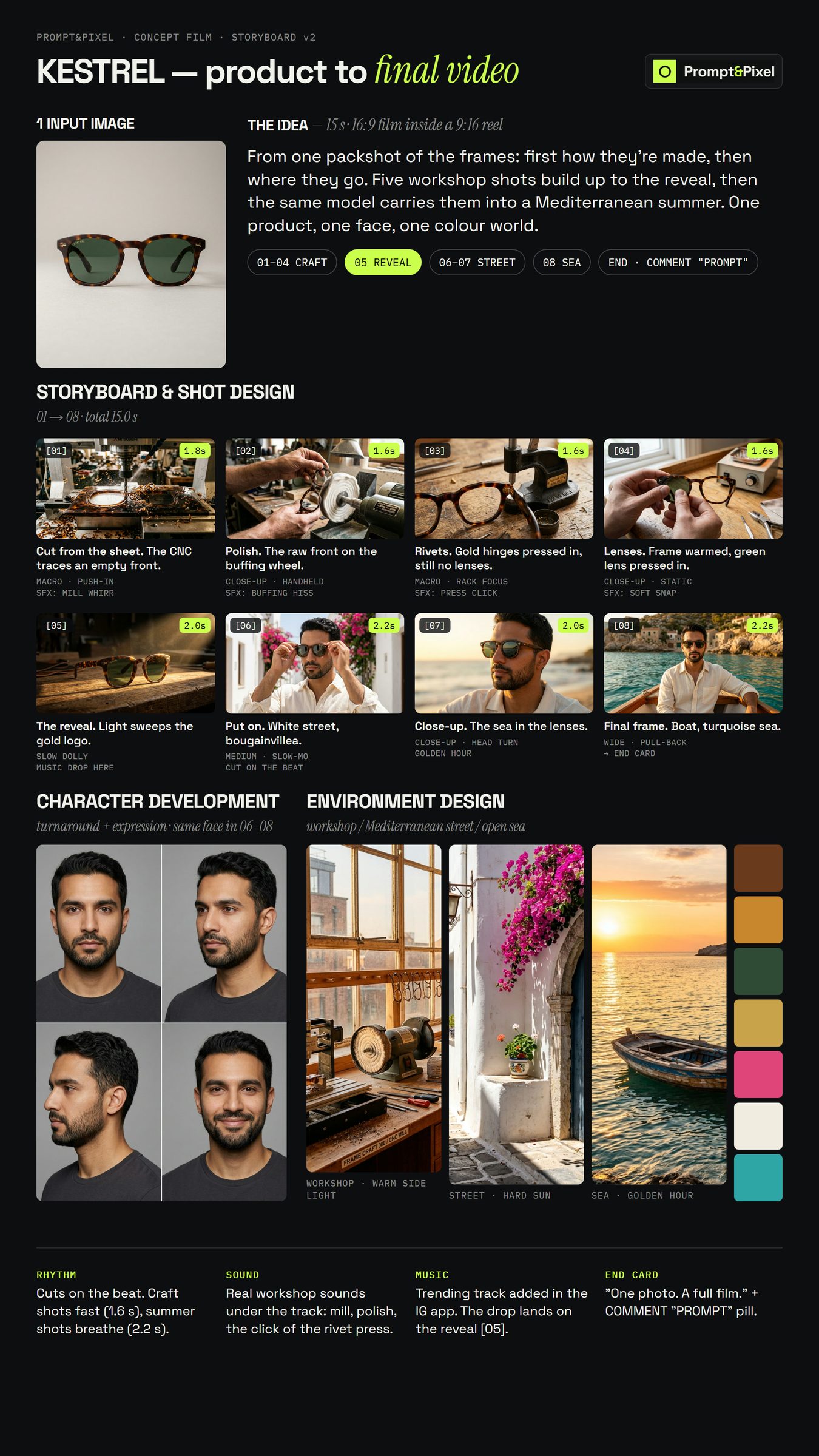
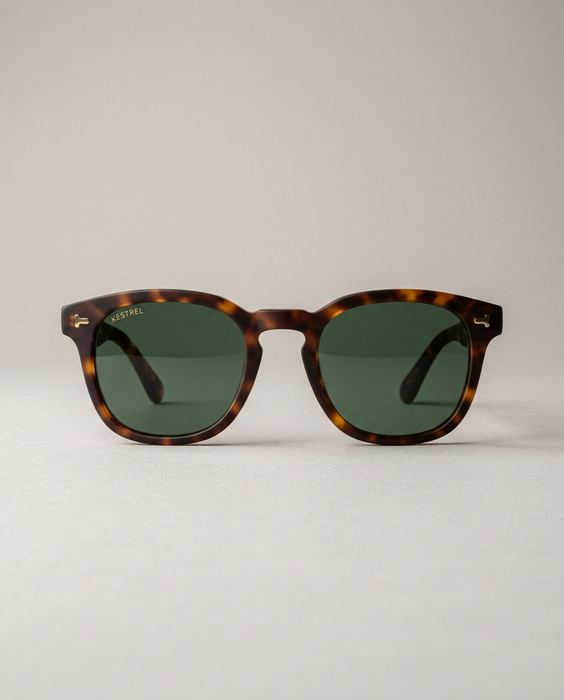
 Input 01 · packshot
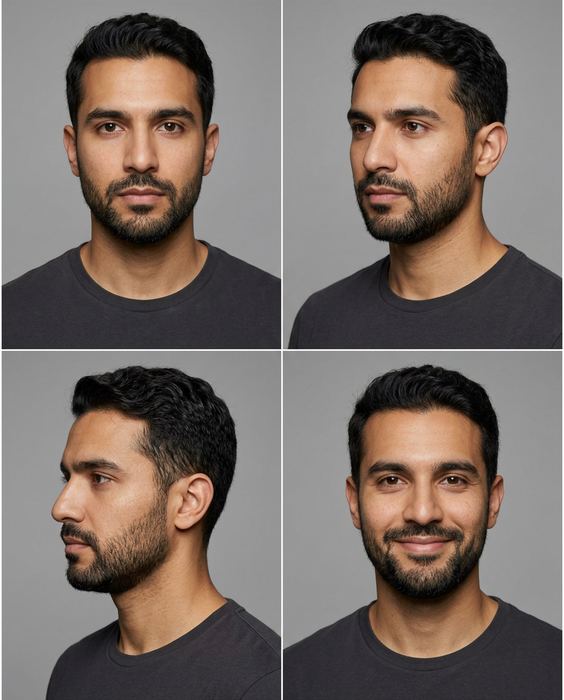 Input 02 · character sheet
THE INPUT
Two images. That’s all.
One clean packshot of the sunglasses, and one character sheet of the model: front, 3/4, profile and a smile. Every shot below was made from these two.
The full plan behind the KESTREL concept film: two input images, an eight-shot board, the animation prompt and the edit. Every frame on the board plays the clip it became.
Phone is fine: daylight from a window, a plain wall or sheet behind, the label facing the camera and sharp. No flash. For a person in the shot, add a character sheet of your model: front, 3/4, profile and a smile.
Gemini or ChatGPT for the stills, then an image-to-video model such as Kling for the clips. Upload the photo, paste the prompt.
One prompt per image. Before you use one, check the label against your real product, letter by letter.
Input 01 · packshotInput 02 · character sheetOne clean packshot of the sunglasses, and one character sheet of the model: front, 3/4, profile and a smile. Every shot below was made from these two.
One image prompt per shot, the packshot attached as a reference. Each frame plays its clip: hover it on a computer, or just scroll on a phone.
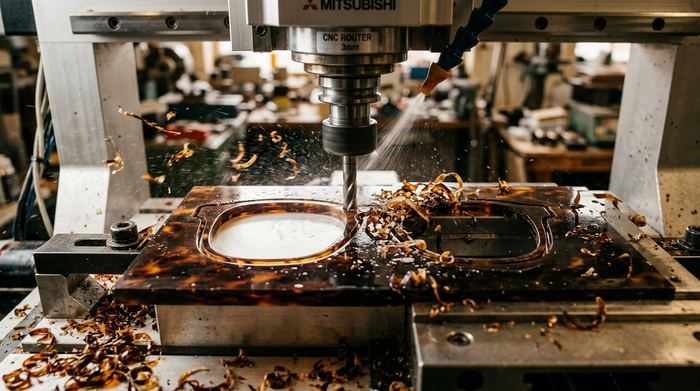
CNC macro: the cutter traces an EMPTY frame front in a tortoiseshell acetate sheet. No lenses yet.
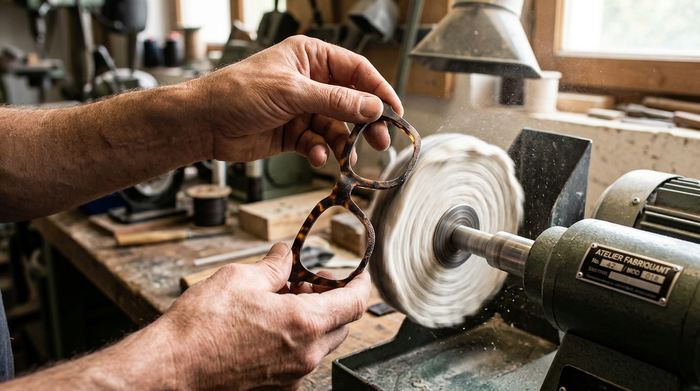
Hands press the raw front to a cotton buffing wheel. Dust in the light.
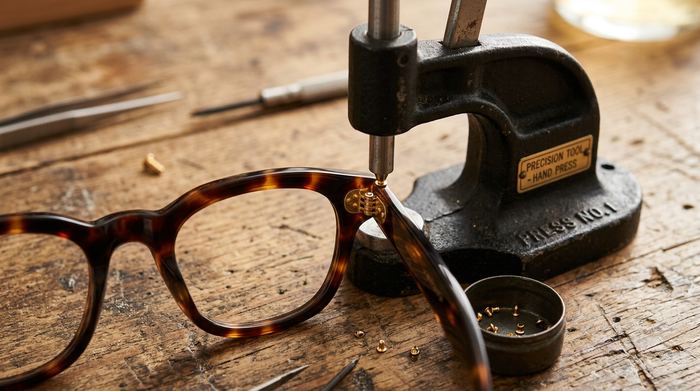
A hand press seats the gold rivets. The frame is still empty.
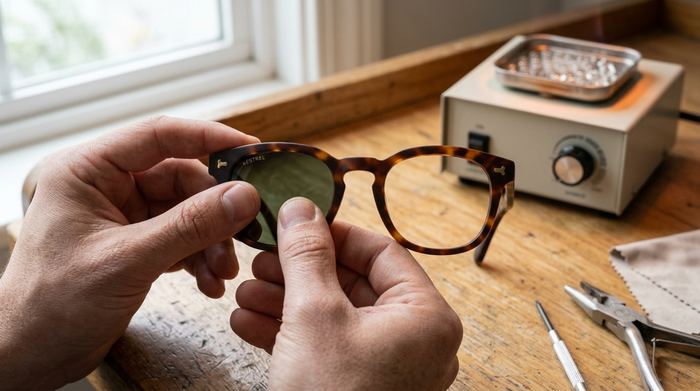
The frame is warmed; thumbs press the green lens in until it seats.
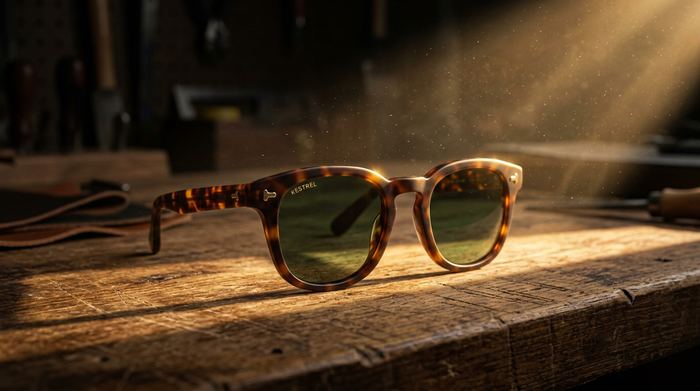
A beam of warm light sweeps the gold logo on the finished frames.
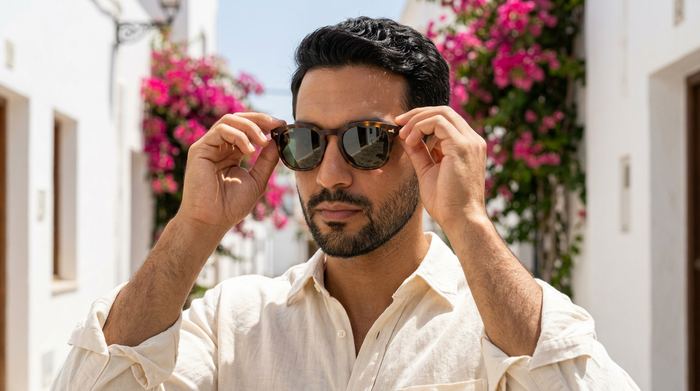
The model puts them on in a white street with bougainvillea.
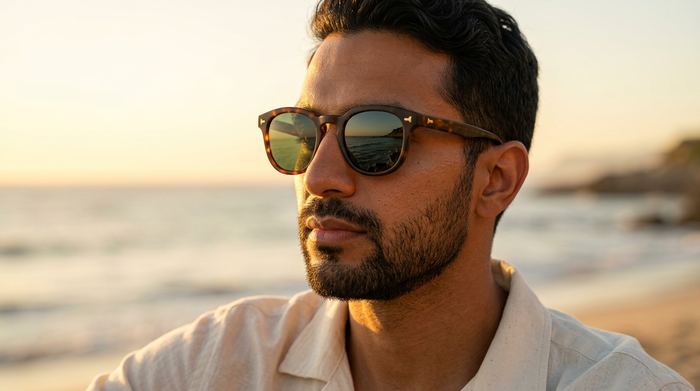
Close-up: he turns to the sun; the sea glints in the lenses.
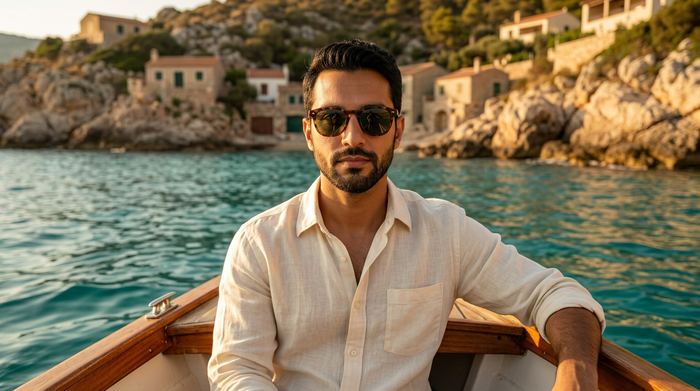
Wide: a wooden boat on a turquoise sea at golden hour.
For shots 1–3, don’t attach the finished packshot, or the AI copies the lenses into a frame that’s still being made. We learned that one the hard way.
1. CNC macro: the cutter traces an EMPTY frame front in a tortoiseshell acetate sheet. No lenses yet.
2. Hands press the raw front to a cotton buffing wheel. Dust in the light.
3. A hand press seats the gold rivets. The frame is still empty.
4. The frame is warmed; thumbs press the green lens in until it seats.
5. A beam of warm light sweeps the gold logo on the finished frames.
6. The model puts them on in a white street with bougainvillea.
7. Close-up: he turns to the sun; the sea glints in the lenses.
8. Wide: a wooden boat on a turquoise sea at golden hour.
Image-to-video, 5 seconds, the still as the first frame
[what moves, slowly]. Sound: [the real sound of that moment]. Realistic, physically plausible motion. The product keeps its exact shape, pattern and details. No morphing, no text, no music, no speech.
Video models drift late in a clip: lenses appear in an empty frame, numerals blur. Use the first seconds and cut before it happens.
STEP 3Cut to the song’s tempo, land the music drop on the reveal, and keep the real sounds (mill, wheel, press, waves) under the track.
The last part is where most sets fall apart. It’s the part we do, from $199.
 Step 14
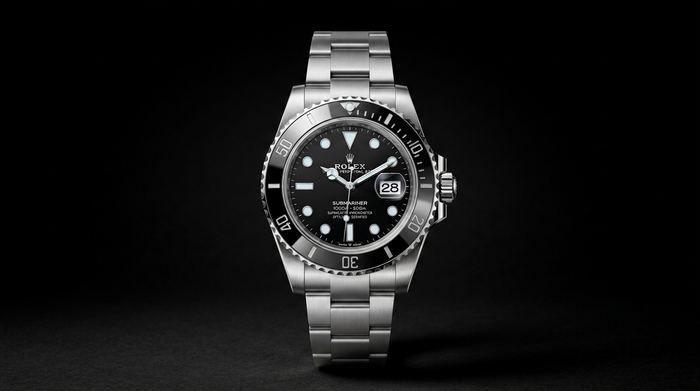
Seven shots, the prompt behind each, and the one rule that keeps the dial from morphing. An unofficial concept.
[ Open the guide → ] Step 15
Three hands, a misspelt label, impossible physics, the wrong build order and video drift, with the check for each.
[ Open the guide → ] Step 01 · Start here
Lock the product, go close, test the colour, build the world. The checks we run on every set.
[ Open the guide → ]