[ Free library ]/Step 10/One photo, a whole brand kit

One photo, a whole brand kit

From one MELLO packshot to a brand kit: the guide, every flavour in the same look, a listing image for marketplaces and a launch banner, with the prompt behind each.

Step 10 of 15 · Turn it into a brand kitFree guide · no sign-up · updated 16 Oct 2026
00 · Before you start
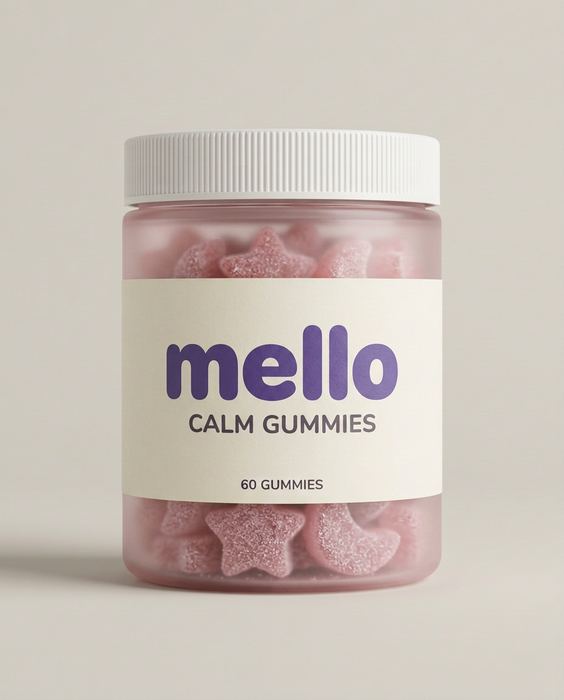
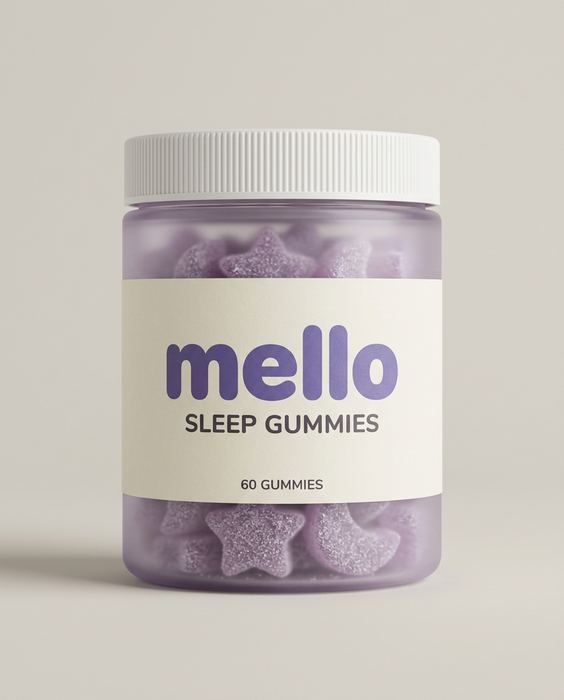
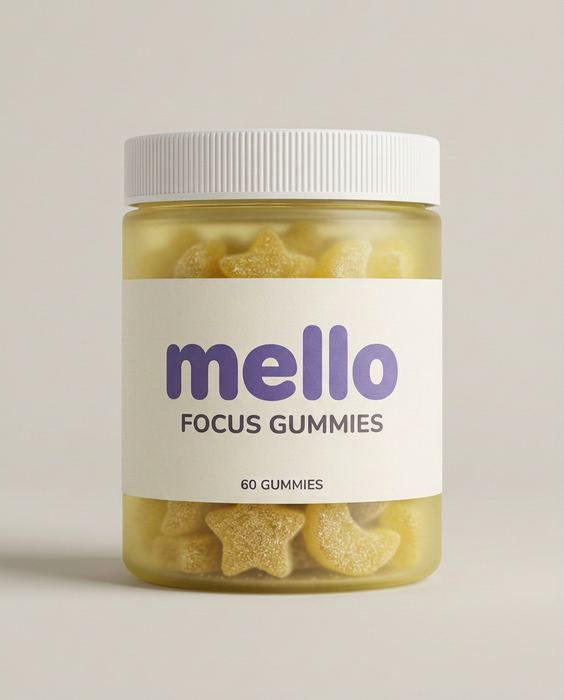
MELLO concept: the plain packshot every image here was made from
like this
01

One clean photo

Phone is fine: daylight from a window, a plain wall or sheet behind, the label facing the camera and sharp. No flash.

02

An image AI that takes a photo

Gemini or ChatGPT both work. Upload your photo first, then paste the prompt.

03

Paste, generate, check

One prompt per image. Before you use one, check the label against your real product, letter by letter.

MELLO concept brand, vitamin gummies: The packshot — the input
01

One photo

The input

A clean packshot of one product, front-facing, on a plain background. Attach it to every prompt below.

Start every prompt with this
Use the product from this photo and keep it 100% identical - same shape, label and colours.
Sleep#B9A7E8
Focus#F4DD6A
Calm#F2B7C3
Energy#F6A14B
Cream#F4EFE6
Ink#141518
02

Write the guide first

Before any prompt

The palette, the backdrop, the light and the angle, written once. These words go into every prompt, so every image matches.

The guide
Palette: one colour per flavour, cream labels, ink text.
Backdrop: seamless warm light grey.
Light: soft, even, from the front.
Angle: front-facing, label to camera, same for every jar.
MELLO concept brand, vitamin gummies: The packshot — the inputSleep
MELLO concept brand, vitamin gummies: Variant — FocusFocus
MELLO concept brand, vitamin gummies: Variant — CalmCalm
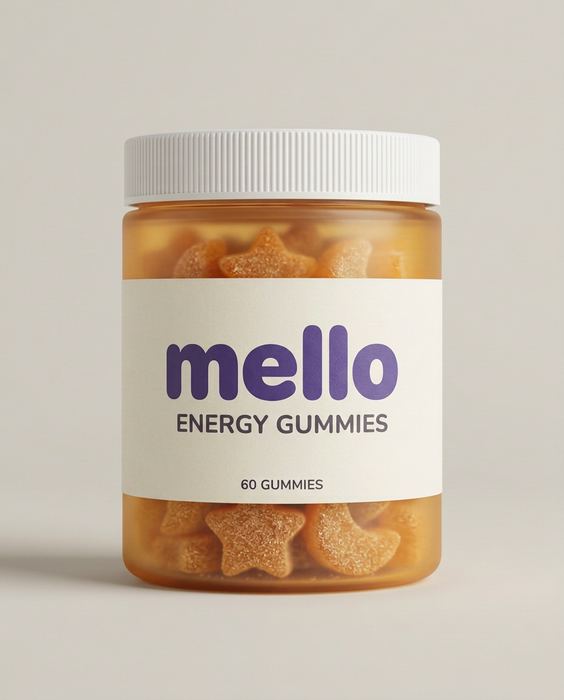
MELLO concept brand, vitamin gummies: Variant — EnergyEnergy
03

Every variant, one look

Change one thing: the colour

Studio packshot of exactly the same product design, front-facing, on the same seamless warm light grey background and soft light, but [the colour] is now [new colour] and the label reads [new name]. Everything else identical.
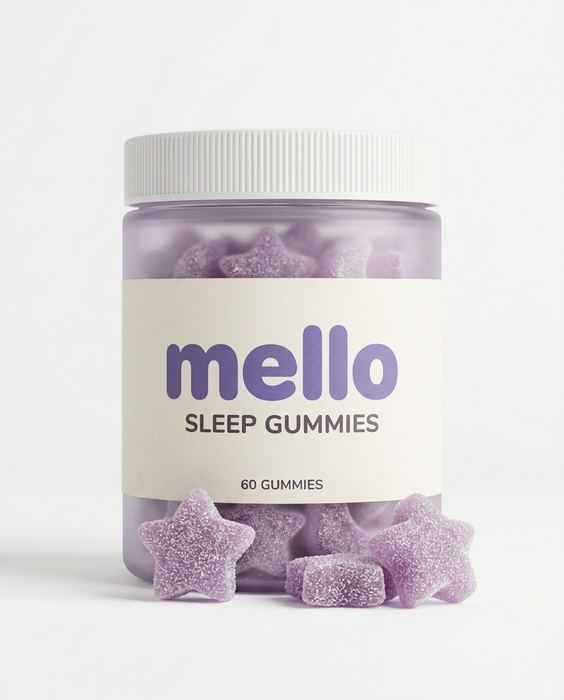
MELLO concept brand, vitamin gummies: Listing image on white
04

The listing image

Marketplaces and the product page

E-commerce listing photo: the product front-facing on a pure white background, a few of what's inside in front of it, even soft studio light, a faint natural contact shadow, the product filling about 60 percent of the frame, nothing else in the frame.

Add the feature callouts afterwards in Canva or Figma, not in the prompt: AI misspells small text.

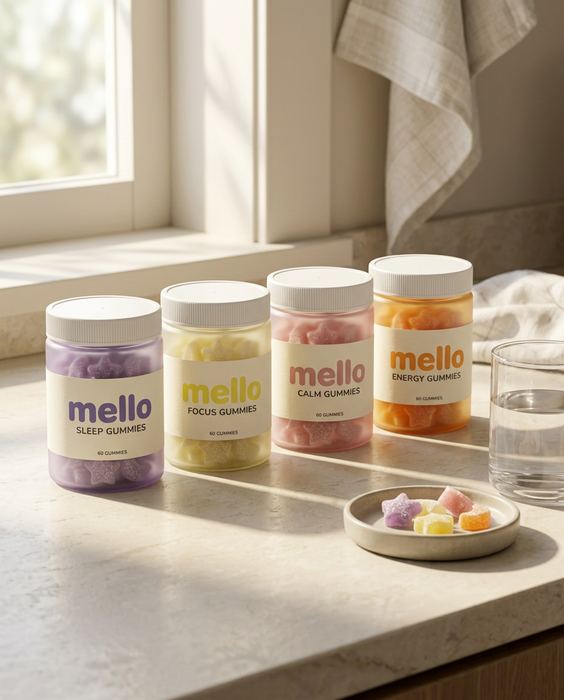
MELLO concept brand, vitamin gummies: The launch line-up
05

The launch banner

Ads, email and the homepage

[Your variants] in a row with their labels facing the camera, on a sunny pale stone kitchen counter, morning light from a window on the left, a glass of water and a small dish of the product, fresh and calm.

Put your sale line on it and it’s a launch banner, in the same light as every other image.

Consistency is a decision. Lock one packshot, change one thing per variant, and write the guide before the first prompt. Then the kit stays on-brand without starting over every time.

! Where DIY stops

This gets you most of the way.

The last part is where most sets fall apart. It’s the part we do, from $199.

  • Where it breaksWhat we do
  • The label drifts. A letter changes, the logo moves, the colour shifts.We check every image against your real product, word for word.
  • Hands and faces go wrong. An extra finger, or a face that changes from shot to shot.We count, crop and redo before you see anything.
  • The set doesn’t match. Light, colour and the model wander from image to image.One art direction across the whole set, so it reads as one campaign.
  • Video drifts. Clips morph after a few seconds.We plan the shots, keep the clean seconds and cut it on the beat.
→ Want this for your product?

Send one photo.
We’ll send a direction.

Every concept from our posts: