AI product photography for skincare brands: what makes it look real, and where it breaks
Glass, liquid, skin and tiny label text: what makes AI skincare product images look real, the checks we run, and where a skincare brand shouldn't use AI at all.
Skincare is the hardest category to get right with AI product images, and the easiest one to get wrong.
There's glass that has to reflect a real room, liquid that has to move like liquid, skin that has to look like skin, and a label with tiny ingredient text that AI loves to rewrite. Get one of those wrong and the image stops looking like your product. It starts looking like an ad for a product that doesn't exist.
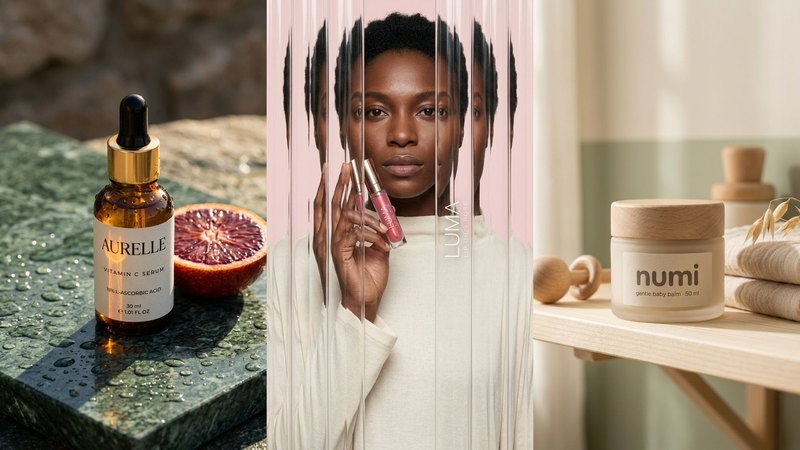
We make AI product images and video ads for DTC brands. To test what works, we invented three skincare and beauty brands and built full campaigns for them from one packshot each: AURELLE (a vitamin C serum), LUMA (a lip oil) and NUMI (a baby balm). They're concept brands, not clients. Here's what they taught us.
1. Lock the product before you make a single scene
Every image after the first one copies the product from somewhere, so make that somewhere exact. Start with one clean packshot: daylight from a window, a plain background, the label facing the camera and sharp. A phone is fine.
Then check every generated image against the real bottle, letter by letter. On skincare the drift happens in three places:
- the small ingredient and claim text on the label,
- the shape of the dropper or pump,
- the exact colour of the liquid or cap.
If a letter changes, fix it or make the image again. Never post it and hope nobody zooms in. Your customers will zoom in.
2. Glass and liquid: prompt the physics, not the vibe
"Luxury serum on marble" gives you a generic, plastic-looking bottle. What made the AURELLE images read as real was naming the physical details:
- water beads in different sizes, not a repeating pattern,
- a real window reflected in the curve of the glass,
- light bending through the amber,
- focus falling off softly behind the bottle.
The same goes for texture shots, like a drop falling from the pipette or a smear of balm on a fingertip. Describe what the liquid does, and keep the label sharp in front.
3. Skin should look like skin
Airbrushed skin is the quickest giveaway. For on-model shots, we write the imperfections into the prompt on purpose: visible pores, fine lines under the eyes, single brow hairs, one loose strand of hair. Then we check hands and faces before anyone sees the set, because an extra finger or a face that changes from shot to shot breaks trust instantly.
For LUMA we kept the same model and the same lip oil, and changed one line of the prompt to get four looks (fluted glass, motion blur, acrylic paint) with the label readable in every one. The prompts are in 4 AI effects worth stealing.
4. Build a brand world once, then reuse it
The reason most AI skincare images look like everyone else's is that the prompts are copied. For NUMI we wrote the world once: the palette (oat, cream, sage), the light, the place and the props. Every shot used that same block, so a nursery shelf, a bath tray and a picnic blanket still look like one brand. How to write one: Don't copy a prompt, build a world.
5. Make every ad size at its own size
Don't crop a square into a Story. Make 9:16, 4:5 and 1:1 as separate images, each composed for its placement, with the top and bottom of the Story frame kept clear for the app's buttons. The sizes and safe zones are in Every ad size, one product.
Where we wouldn't use AI for skincare
This part matters more than the prompts.
- Before-and-after or results images. If an image implies what the product does to skin, it has to be real. An AI-made "after" is misleading, and in many markets it's a compliance problem.
- Shade matching. For complexion products, check every shade against real swatches. AI colour drifts.
- People you've actually hired. If the campaign is about a real ambassador, use the real person.
Where a platform or market requires AI disclosure, apply it. Labelled, honest, good-looking images still sell.
What it costs, roughly
A studio shoot for a set like this typically runs $2,000 or more and takes 2–3 weeks, with product samples posted to the studio. Doing it yourself with ChatGPT or Gemini costs a subscription and your time, and you check every label yourself. Our Pilot is $199 for 8 images and a 15-second vertical video in 5 days, made from the photo you already have. Here's the side-by-side comparison.
Do it yourself, free
Everything above is written out step by step, with the exact prompts, in our free library (no email, no sign-up). Start with the AI product image checklist and the anatomy of a real-looking prompt.
If you'd rather we did it, send one photo of your product and we'll send back a direction.
The free guides behind it.
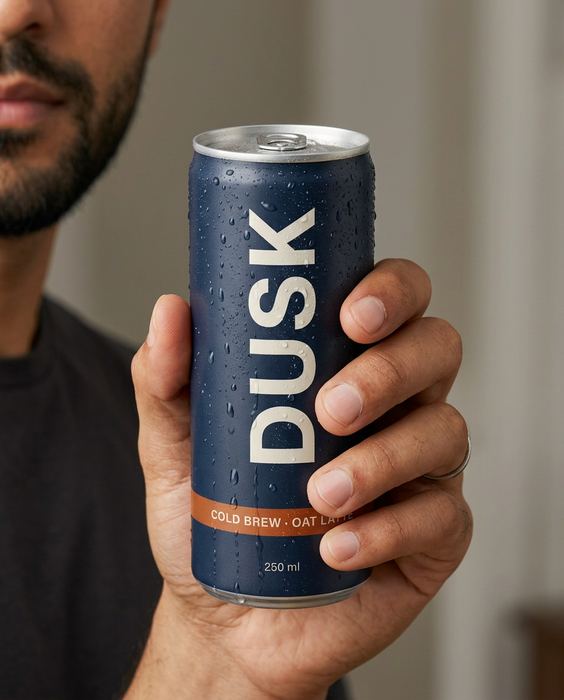 Step 01 · Start here
The AI product image checklist
Lock the product, go close, test the colour, build the world. The checks we run on every set.
[ Open the guide → ]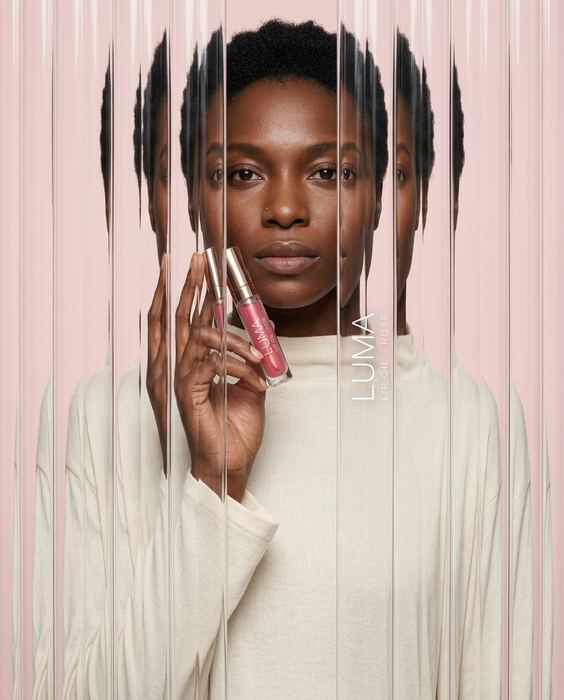 Step 09
4 AI effects worth stealing
Fluted glass, anti-gravity, motion blur and acrylic paint, with the label still readable.
[ Open the guide → ]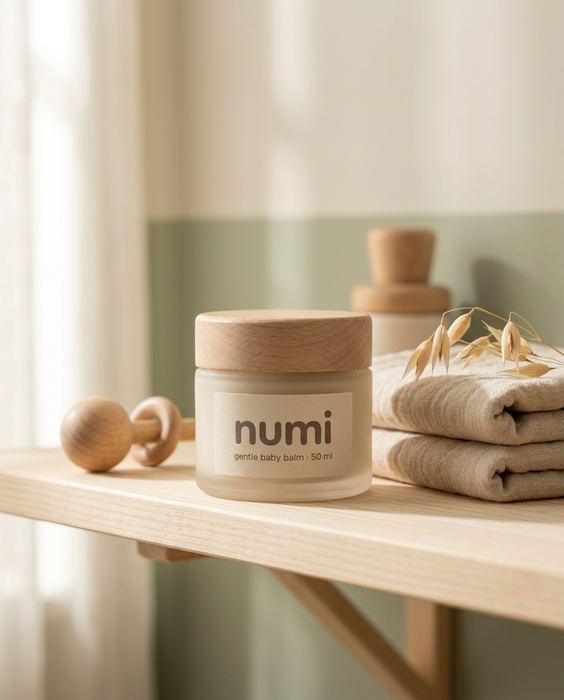 Step 05
Don't copy a prompt. Build a world.
Palette, light, place and props written once, then used in every shot, so the set reads as one brand.
[ Open the guide → ]