AI product photography for food and beverage brands: the pack stays true, the scene does the selling
How we make AI images for food and drink brands: a label that never drifts, honey and powder that obey physics, one model across a set, and where to skip AI.
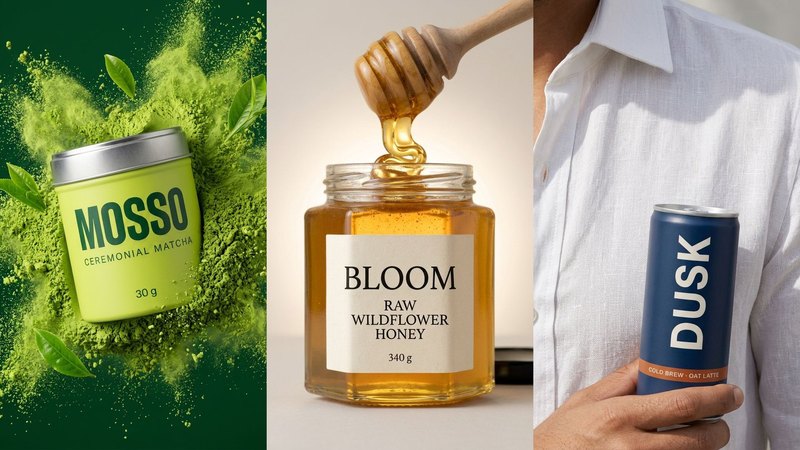
Food and drink brands sell on appetite, and appetite is visual. A tin of matcha, a can of cold brew or a jar of honey has to look good on the product page, in Stories, in the feed and on a marketplace listing, and the image that sells is rarely the pack on white. It's the pack next to the thing it becomes: the latte, the pancakes, the cold can in someone's hand on a hot street.
So AI product photography for food and beverage brands is a growing search. The top results are mostly tool pages, plus a couple of solid guides on labels, glass and liquids. What they mostly skip is how to keep one look across a whole set, and where AI makes a food image say something the product can't back up.
We make AI product images and video ads for DTC brands. To learn what holds up in food and drink, we built three concept brands from one packshot each: MOSSO, a ceremonial matcha in a lime-green tin; DUSK, a cold brew oat latte in a navy can; and BLOOM, a raw wildflower honey in a glass jar. They are concept brands, not clients. Here's what they taught us.
1. Start from one honest packshot
Every scene copies the pack from somewhere, so that somewhere has to be right. For each brand the input was one plain front view: the tin, the can or the jar on a soft background, label square to the camera, even light. A sharp phone photo with true colour is enough.
Then check every image against it. Food and drink packs drift in predictable places:
- the label text: the name, the flavour line and the weight. AI likes to swap a letter or turn "30 g" into "300 g", so read every word,
- the lid or cap: its colour, its finish and whether it's on, off or lying beside the pack,
- the pack colour: MOSSO's lime green and DUSK's navy are the brand, so a shade that drifts reads as a different product.
If any of that changes, fix it or make the image again. A buyer who orders the tin in the picture should get the tin in the picture.
2. Make powder, liquid and glass obey physics
This is where food images give themselves away. Liquids are heavy, sticky or fizzy, and AI tends to make them all look like the same clear gel.
What made our sets read as real was naming the physics out loud:
- Honey is slow. In the BLOOM pour image, honey falls from a wooden dipper in a thick ribbon and folds on itself as it lands. Ask for "honey dripping" without that and you get a thin stream like water.
- Powder is dry and light. The MOSSO burst has fine green powder thrown out from behind the tin, with a few tea leaves in the air. Powder gathers in soft clumps and fades at the edges. If it looks wet, it looks like paint.
- Cold things sweat. DUSK's can needed a cool, slightly misted metal look. Too many drops and it reads as a sticker of water.
- Glass bends the light. A honey jar should glow where the light comes through it, and the label should sit on a curve, not float flat on the front.
The fixes for this, and the other mistakes we caught, are in five AI product photo mistakes.
3. Show what the product becomes
A food pack on its own sells the box. The pack next to the finished thing sells the taste. Our sets show that in a few ways:
- MOSSO next to an iced matcha latte on a travertine table, with a bamboo whisk and a small bowl of powder.
- BLOOM on a breakfast table with two stacks of pancakes, berries, butter and two coffees.
- DUSK in the hand of a man at a café table on an old-town street.
Keep the pack the hero, though. In the BLOOM breakfast image the jar sits between the plates with its label turned to the camera, and everything else on the table points back to it. If the pancakes win, the ad is selling pancakes.
4. Build the set as a shot list
"Matcha product photo" gives you the same tin on the same table, five times. Write the list first, and give each image a job. For BLOOM we used five scenes that work for nearly any product:
1. Window light: soft light across the jar. The calm feed post.
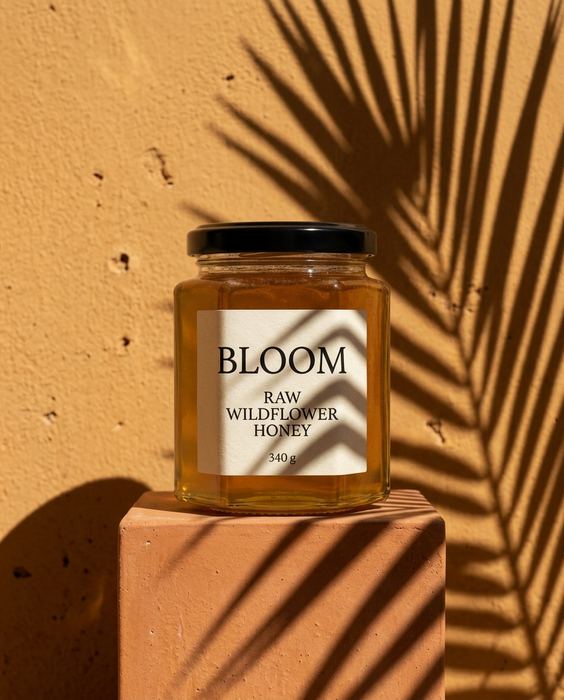
2. Hard shadow: midday sun and a sharp shadow. The scroll-stopper.
3. The pour: the product in use. The ad that shows the texture.
4. In hand: a hand holding the jar, for scale. The Stories ad.
5. The table: the jar in a real meal. The banner.
The prompts for all five are in 5 scenes that sell any product. For something bolder, like the MOSSO powder burst, see our AI effects for product ads. You can see all three brands in our work.
5. If a person is in the frame, keep the same person
DUSK is mostly about a person: a man in a white linen shirt, close-ups of his hands and the can, and a street scene. Ask for "a man holding a can" five times and you get five different men. We wrote him down once as a character sheet (face, beard, hair, the same shirt) and used it for every image, then checked the hands for five fingers each.
Then add motion from your best still, not from scratch, so the can and the face stay the same. DUSK's reel started that way. The method is in AI product video from one image.
Where we wouldn't use AI for food and beverage brands
This is the part most AI tool pages leave out.
- The food you actually sell. If the image shows what's inside the pack (the cookie, the sauce, the drink poured from your can), it should look like what a buyer will really get. A generated version that's richer, fuller or a different colour is a promise the product can't keep.
- Serving and portion images. Anything that shows how much is in the pack, or what one serving looks like, should come from a real photo of the real product.
- Health, nutrition and ingredient claims. Anything about what a food does for the body, allergens or certified labels: use real photos of the real pack, and check what your market allows on labels and in ads.
- Your customers' reviews. Reviews and "our community" posts should show real people with your real product, never generated ones.
Where a platform or market requires AI disclosure, apply it. Labelled, honest, good-looking images still sell.
What it costs, roughly
A studio shoot for a set like this typically runs $2,000 or more and takes 2–3 weeks. Doing it yourself with ChatGPT or Gemini costs a subscription and your time, and you check every label and every pour yourself. Our Pilot is $199 for 8 images and a 15-second vertical video in 5 days, made from the photo you already have. Here's the side-by-side comparison.
Do it yourself, free
Everything above is written out step by step, with the exact prompts, in our free library (no email, no sign-up). Start with the AI product image checklist: lock the product, go close, test the colour, build the world.
If you'd rather we did it, send one photo of your product and we'll send back a direction.
The free guides behind it.
 Step 03
5 scenes that sell any product
Window light, hard shadow, the pour, in hand, the table: five prompts for anything you sell.
[ Open the guide → ]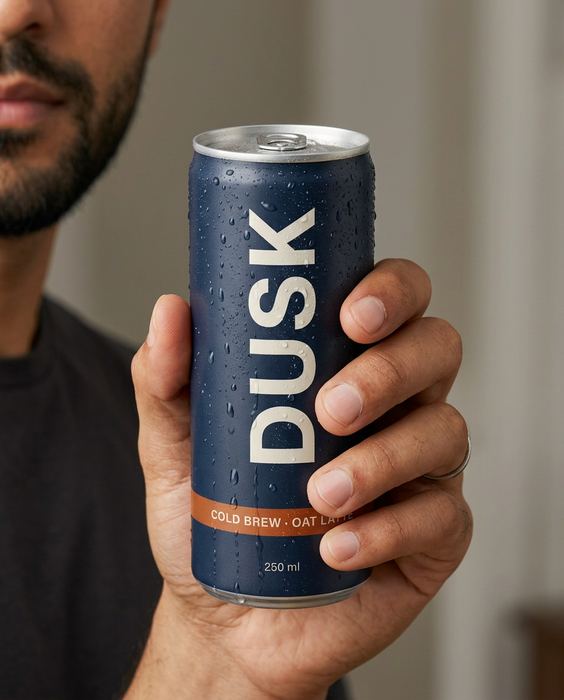 Step 01 · Start here
The AI product image checklist
Lock the product, go close, test the colour, build the world. The checks we run on every set.
[ Open the guide → ]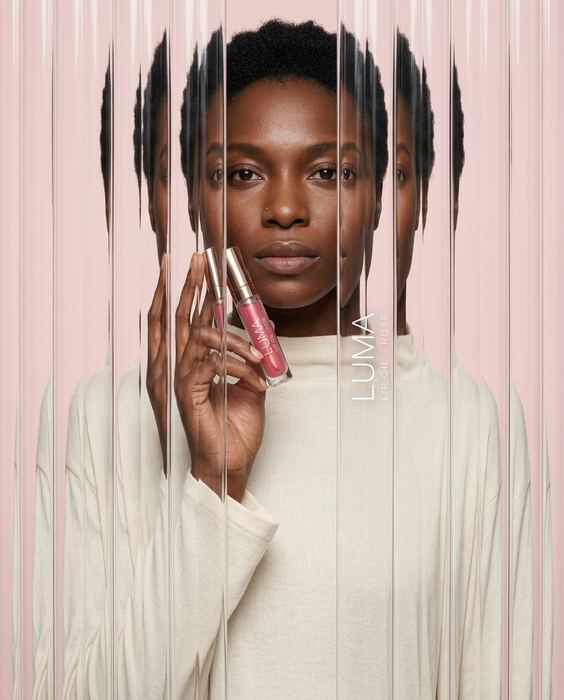 Step 09
4 AI effects worth stealing
Fluted glass, anti-gravity, motion blur and acrylic paint, with the label still readable.
[ Open the guide → ]